

 LinkedIn
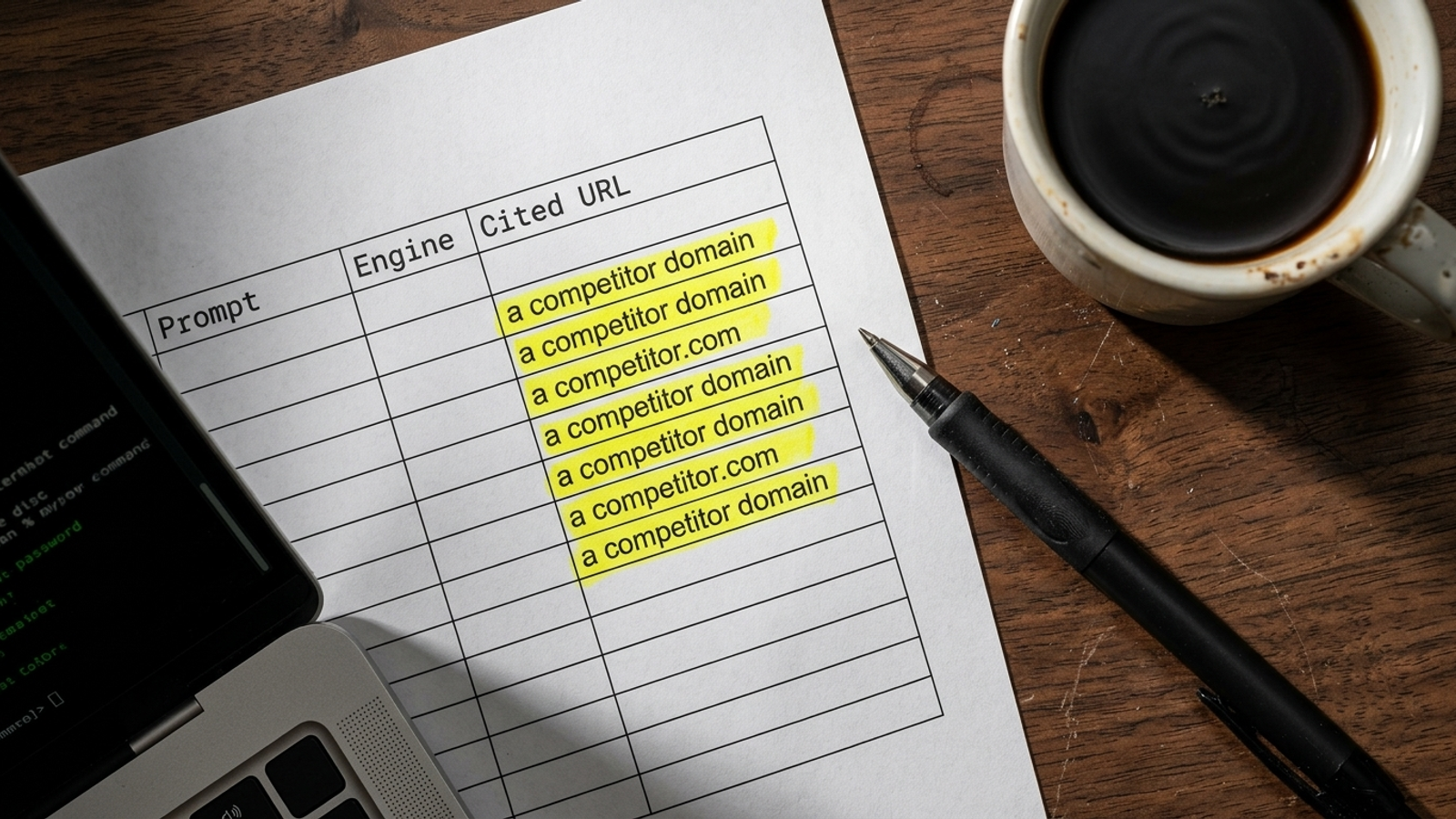
A buyer asks Perplexity to compare products in your category. It cites a competitor’s comparison page and a review directory, but not yours. Your gap is those URLs, not a visibility score telling you that you lost.
I’d treat this like a Google Ads search terms report: collect the rows, find the patterns, then decide what to change. A prompt list tells you where to look. The cited pages tell you what to do. You can pull them into one Google Sheet without a scraping script, paid API key, or dashboard subscription.
Before you start: the sheet and the baseline
At the end, you’ll have a citation ledger, a domain and page-type breakdown, a view of the URLs winning your target prompts, and a fix list. Set aside about 45 minutes for the first manual pass and have these ready:
- A blank Google Sheet you can edit.
- ChatGPT with web search available, Perplexity, and Google Search with AI Overviews available.
- Twenty buyer prompts you can rerun later.
Keep the same prompts and test conditions for each pass. This is a working baseline, not a permanent ranking of who owns AI search.
Step 1: Choose 20 prompts and build the ledger
Use buyer questions, not brand questions
Action: Write five questions about the problem your product solves, ten comparing approaches or products, and five asking about vendor alternatives. Use the patterns in the prompt mining swipe file if you need a starting point. Label each prompt with its intent stage.
A query such as “What does [Company Name] do?” tests whether an engine recognizes a name the buyer already knows. It does little to expose the pages an undecided buyer might encounter instead of yours. HubSpot’s content audit research puts the scale of third-party citations in perspective: brand-owned sites accounted for about 12% of AI citation volume in its analysis, with the rest going to sources such as comparisons, directories, and guides. Start where the buyer is still choosing.
Set up one row per source
Action: Rename the first tab Raw Citations. Put these nine headers in Row 1, one per column:
A: Prompt
B: Intent Stage
C: Engine
D: Date Tested
E: Cited URL
F: Extracted Domain
G: Page Archetype
H: Brand Mentioned (Y/N)
I: Brand Cited (Y/N)
Each row will represent one cited URL for one prompt in one engine. If an answer has five sources, you’ll enter five rows and repeat columns A through D. If an answer has no cited sources, enter one row for that test with Column E blank. That row preserves the test; it is not a citation.
Keep H and I separate. A mention without a citation means your brand appears in the answer but the answer does not link to your site. A citation gap means the cited sources omit your domain. Neither flag, by itself, tells you why the engine made that choice.
Expected result: You have a place for every test, including tests with no sources. Common mistake: Put a whole source list in one cell. You’ll lose the ability to count and inspect individual pages.
Step 2: Run each prompt in three engines and copy the full URLs
Action: Run each prompt in ChatGPT with web search enabled, Perplexity, and Google Search. Use a clean browser session where possible, and keep your login and search settings consistent across reruns. Don’t switch to a logged-out session if doing so removes access to the feature you need to test.
Find the sources in each interface:
- In ChatGPT, confirm web search is active, then open the answer’s footnotes or
Sourceslist. - In Perplexity, open the numbered inline citations or source tiles.
- In Google Search, open the source cards or links attached to the AI Overview, when one appears.
Copy each destination into Cited URL, not just its homepage domain. Fill in the prompt, intent stage, engine, and date on the same row. Mark whether the answer mentions your brand in H, and whether a source links to your domain in I. If an AI Overview does not appear or an answer has no cited links, record that test with a blank cited URL rather than inventing a source.
A run across 20 prompts and three engines may leave you with roughly 180 to 350 citation rows, though the number will depend on the answers you get. The full path matters. A review page, comparison page, and product page on the same domain present different jobs for you.
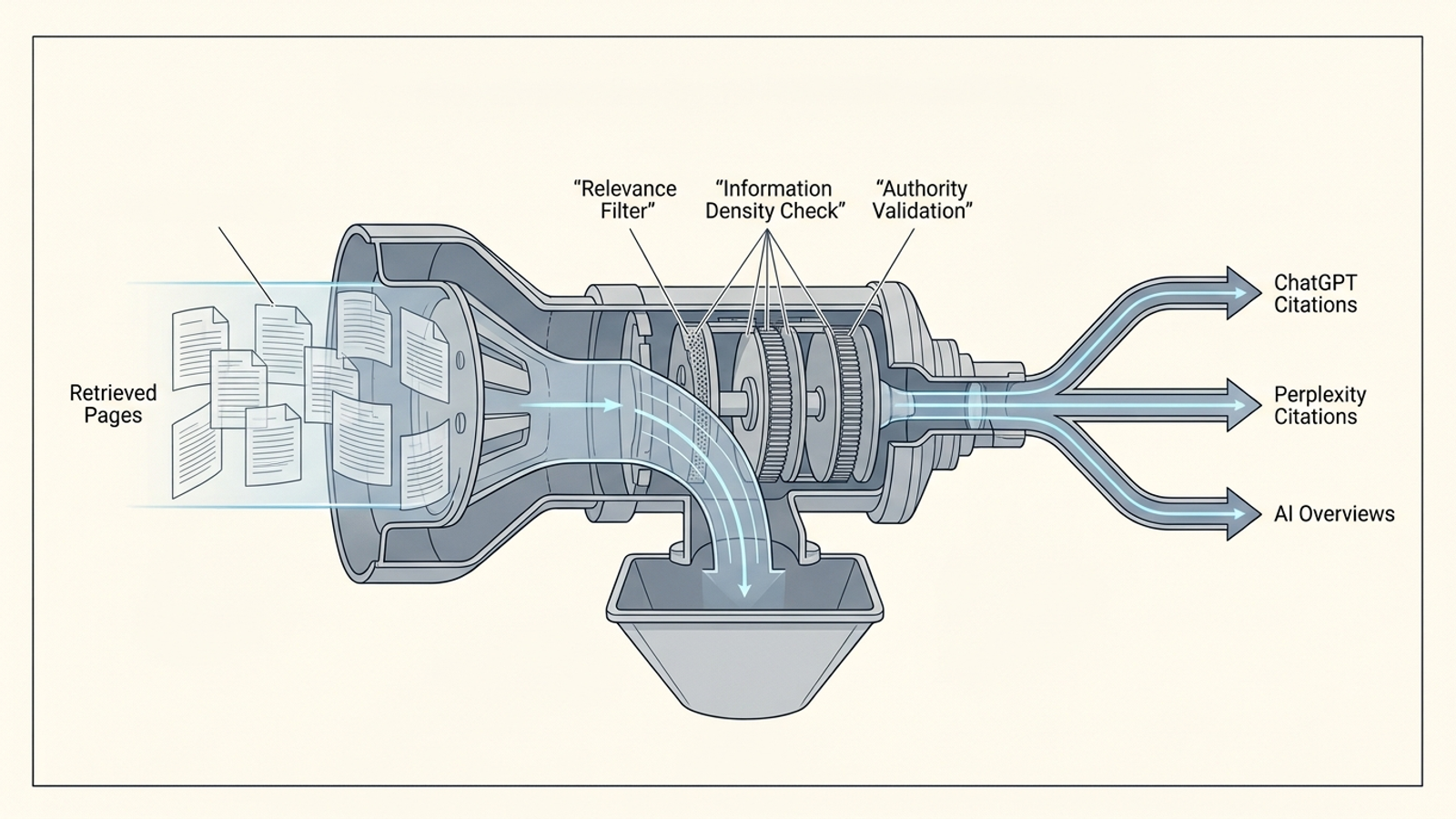
AirOps and Kevin Indig’s analysis distinguishes pages ChatGPT retrieves from the smaller set it cites. Your ledger tracks the cited set: the pages a reader can actually open from the answer. And don’t assume one engine stands in for the others. Peec.ai’s cross-engine study found limited overlap between ChatGPT and Perplexity citations; practitioners discussing their own tracking on Reddit r/aeo have reported similar engine-specific patterns. Test all three rather than treating one source list as the whole market.
Expected result: Every available source has its own row and its full URL. Common mistake: Copy the answer’s product names but skip its links. Those links are the point of the exercise.
Step 3: Extract domains and tag page types
Pull hostnames without retyping them
Action: Paste this formula into Raw Citations!F2, then fill it down Column F:
=IFERROR(LOWER(REGEXREPLACE(REGEXEXTRACT(E2, "^(?:https?://)?([^/?#]+)"), "^www\.", "")), "")
It strips the scheme, path, and leading www. so you can group citations by hostname. For example, https://www.g2.com/products/example/reviews becomes g2.com. URL to Domain Extractor’s Google Sheets documentation describes this approach. A blank cited URL produces a blank domain.
Tag what each page does
Action: Select Column G and choose Data > Data validation > Add rule > Dropdown. Add these five values:
Competitor Product PageEditorial RoundupReview DirectoryCommunity DiscussionOfficial Documentation
Tag cited rows only. Then create a tab named Archetype Summary. Put the five labels in A2:A6 and paste this formula into B2; fill it through B6 and format those cells as percentages:
=IFERROR(COUNTIF('Raw Citations'!$G$2:$G, A2)/COUNTIF('Raw Citations'!$G$2:$G, "?*"), 0)
The denominator counts filled archetype cells, not the header or the blank rows you kept for uncited tests. Finish tagging before reading the percentages. If roundups and directories dominate, the immediate task may be getting onto those pages, not publishing another general post on your site.
Expected result: You can see which kinds of pages receive citations. Common mistake: Tag a page by its domain alone. Open the exact URL; a directory’s review page and its editorial list do different work.
Step 4: Pivot from domains to the exact pages beating yours
Count the recurring domains
Action: Select the populated range in Raw Citations, then choose Insert > Pivot table and place the pivot on a new tab named Domain Intelligence. Configure it this way:
- Rows:
Extracted Domain. - Columns:
Engine. - Values:
Cited URL, summarized byCOUNTA. - Filters:
Extracted Domain; exclude blanks and your own domain.
Sort domains by the count of cited URLs, highest first. This separates recurring third-party gatekeepers from domains that appear in only one engine. It also keeps your no-citation test rows out of the tally.

Inspect competitor URLs, not just competitor domains
Action: Insert a second pivot from the same ledger on a new tab named Competitor URLs. Set Rows to Cited URL, Values to Cited URL summarized by COUNTA, and filter Page Archetype to Competitor Product Page. Sort by count. Open the URLs at the top and note which prompts cite each one.
This is where the spreadsheet becomes useful. A domain total tells you who appears often; a URL tells you which asset to inspect. When I built a framework for turning Google Ads search terms into an AI content-gap map, the useful move was the same: match the asset to the question rather than admiring an aggregate chart.
Don’t assume a cited competitor won solely because it ranked above you in ordinary search. Ahrefs’ analysis of US queries found that only 38% of URLs cited in Google AI Overviews ranked in the organic top 10 for the corresponding query. Inspect the cited page itself: its answer, structure, comparisons, and information available near the top.
Expected result: You have a short list of pages to examine alongside the prompts that surface them. Common mistake: Stop at a domain leaderboard and write “improve authority” on the task list. That is not an edit anyone can make on Tuesday.
Step 5: Give each losing prompt one next action
Action: Create a Fix List tab. For each prompt where your domain was not cited, copy the prompt, engine, leading cited URL, and relevant page archetype. Assign the gap to one of these three buckets:
- Missing asset on your site: A competitor’s dedicated comparison, worksheet, or pricing breakdown answers a question your site does not. Build a page that addresses that question in its title and opening paragraph.
- Missing third-party inclusion: A review directory or editorial roundup keeps appearing. Check the specific cited page. Claim or update a relevant directory profile, or pursue inclusion on the list rather than publishing another broad blog post.
- Existing asset that needs an editorial update: You already cover the question, but the cited page makes its answer easier to find. Move the direct answer and concrete details higher, and make the relevant comparison easier to scan.
You are assigning work from observed URLs, not diagnosing an engine’s hidden ranking rules. Kevin Indig and AirOps reported that 44.2% of citations in their analysis came from the first 30% of a page’s content, while conclusions accounted for under 4%. That is a useful reason to check where your answer sits. It is not proof that moving one paragraph will earn a citation.
Expected result: Every priority gap points to an asset to build, a page to update, or a third-party page to pursue. Common mistake: Put “create more AI content” in the fix list. Name the URL and the action.
Step 6: Rerun the prompts and verify the change
Action: Repeat the same 20 prompts each month under comparable conditions. Make a dated copy of the ledger, such as Citations_2026_11 or Citations_2026_12, and keep the prompt set unchanged so you can compare passes. Refresh or rebuild the pivots against the new ledger.
Track three things:
- Your citation share: rows citing your domain divided by all rows with a cited URL.
- Third-party inclusion: the share of gatekeeper pages on your target list that now include your brand.
- Competitor URL displacement: which previously recurring competitor pages stop appearing for the same prompts.
Mention rate is still a useful diagnostic; this AI visibility tracker walkthrough covers it. But a mention and a clickable citation are different outcomes, so keep H and I separate on every pass.
Verify: After you publish or update an asset, give it 14 days, then run the same prompt in a clean, comparable session in Perplexity or ChatGPT with web search enabled. Open the sources and check whether your exact URL appears. One appearance is evidence of a citation on that test, not a promise that it will persist. Log the result either way.
The first thing to change once your page earns a citation: Check whether your Google Ads headlines and landing page copy answer that same buyer question as directly. Then set up a filtered view in Google Analytics 4 for referrals from chatgpt.com and perplexity.ai so you can see whether cited visits reach your site.

Common mistake: Change the prompts between runs and call the difference progress. Keep the test stable before you read the delta.
Where the spreadsheet stops
I like the sheet because it forces the useful question: which page won this prompt, and what can I change? It also has a ceiling. Twenty prompts give you a manageable baseline, not your entire search footprint. Repeating tests, maintaining the ledger, updating pages, and coordinating that work with paid search takes time.
That operating burden is why groas exists. Rather than handing you another score or a periodic list of recommendations, groas combines autonomous paid and organic search execution with a named human strategist who sets direction and guardrails. Specialized models handle ongoing campaign, content, bidding, targeting, budget, and optimization work; the strategist owns the decisions that should not be left to a dashboard. The model is a flat monthly fee, not a percentage-of-spend markup.
Start with the sheet. Keep the cited URLs. When the work outgrows manual logging, don’t replace the URLs with a prettier score.